
Move Forward Without Losing What Already Works
NAV to Business Central Migration
Planning a NAV to Business Central Migration involves much more than moving data from one ERP system to another.
If your company has been running Microsoft Dynamics NAV — or Navision, as many long-time users still call it — for years, your system probably contains much more than accounting software.
It may include custom pricing, purchasing logic, reports, integrations, workflows, operational shortcuts and years of knowledge built into the way your business works.
Moving from NAV to Microsoft Dynamics 365 Business Central should not mean blindly rebuilding everything in a newer system.
At Z9Works, we help companies understand what should move forward, what Business Central can replace with standard functionality, what should be redesigned, and what can finally be retired.
The goal is not simply to migrate NAV.
The goal is to build a Business Central environment that makes sense for the next stage of the business.
If NAV Still Works, Why Move?
For many companies, NAV is not broken.
Users know it. The processes work. Customizations have been refined over many years, and replacing a stable ERP system can feel like creating unnecessary risk. We understand that!
We do not believe a company should move from NAV or Navision simply because Business Central is newer. But over time, remaining on an older NAV environment can create practical challenges.
These may include:
- Aging Microsoft support for older NAV versions
- Increasing reliance on older server and SQL infrastructure
- Difficulty integrating with newer cloud applications
- Growing dependence on specialized NAV knowledge
- Older customizations becoming harder to maintain
- Security and infrastructure responsibilities remaining in-house
- Microsoft development increasingly focused on Business Central
- Technical debt accumulating around the ERP
For some organizations, a NAV to Business Central Upgrade becomes the logical next step. For others, continuing to operate NAV for a period of time may still make good business sense.
Not Ready to Migrate Yet?
Z9Works also supports older Microsoft Dynamics NAV and Navision environments.
If your priority is to keep the existing system stable, maintain customizations, resolve issues or extend the life of NAV while you plan your next move, we can help with that as well.
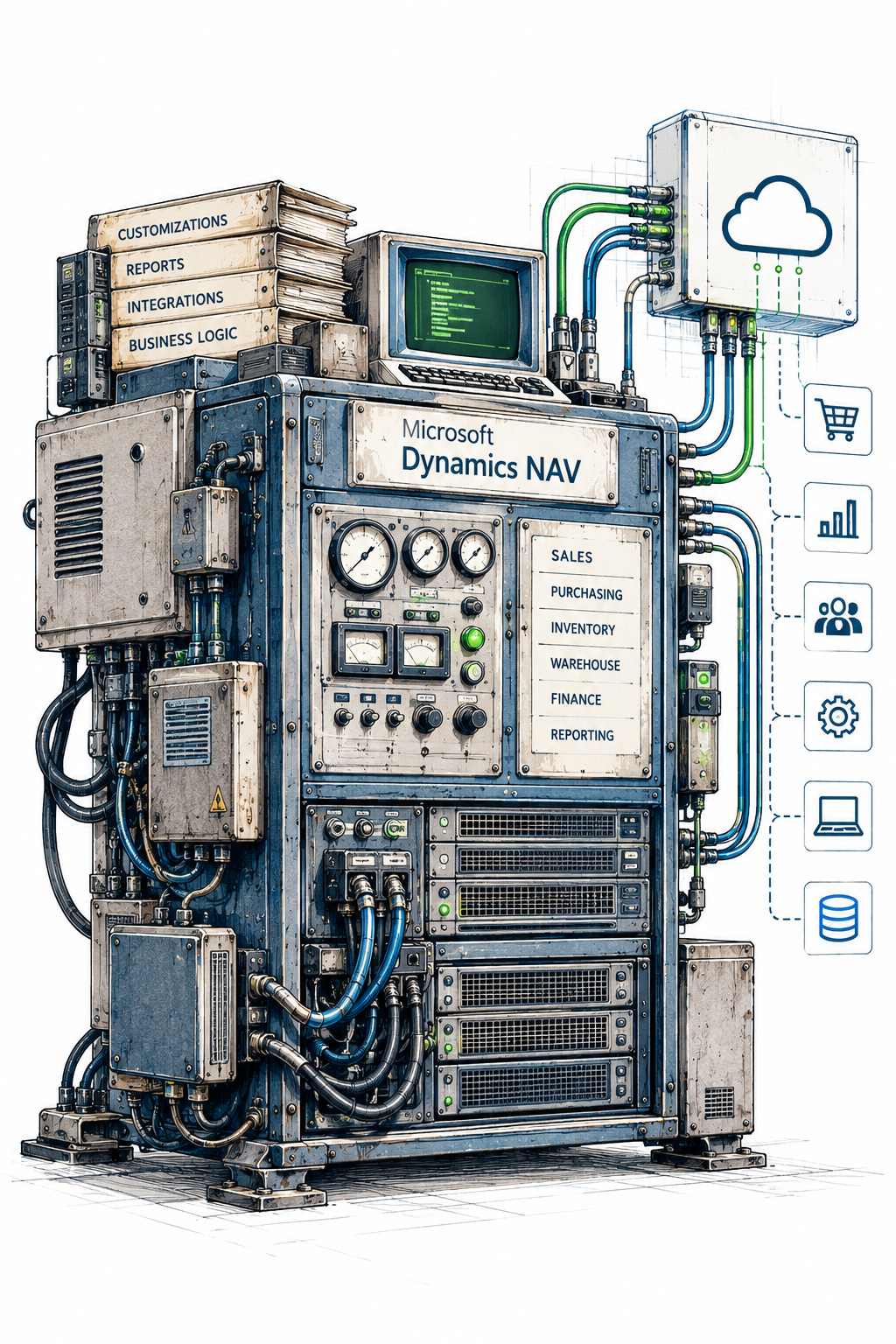
NAV to Business Central Is More Than a Version Upgrade
Business Central grew out of the NAV product family, so the systems are familiar in many ways.
But technically, moving from NAV to Business Central can involve significant architectural changes
Microsoft Dynamics NAV/Navision | Microsoft Dynamis 365 Business Central |
Commonly hosted on-premises | Microsoft cloud SaaS |
C/AL and older development models | AL extensions |
Direct SQL access often used | APIs and supported cloud interfaces |
Customer-managed servers | Microsoft-managed infrastructure |
Periodic upgrade projects | Continuous platform updates |
Extensive direct customization possible | Extension-first architecture |
Traditional integrations | Cloud and API-centric integrations |
The business processes may remain familiar.
The technology underneath them often changes substantially.
That is why a Navision to Business Central project needs more than code conversion.
It requires understanding how the existing system actually supports the business.

REAL LIFE EXPERINCE – The Upgrade Challenge They Expected — and the Benefit They Didn’t
A client in the medical field had a very secure on-premises Navision environment. Their system exported data directly into an internal SQL Server that acted as a data lake for reporting and other downstream processes.
They were hesitant to move to Business Central because they knew the connection between a cloud ERP and their on-premises data environment would be more complicated. They were right. We had to design and build a secure connection that preserved the flow of data while meeting their security requirements. It added complexity to the migration, and at the time it was one of the strongest arguments for staying on Navision.
About a year after go-live, the client needed a new API integration with an industry-specific application. In Business Central, that integration was relatively straightforward. In the old Navision environment, it would have required a much more difficult and heavily customized solution.
The migration created a real technical challenge upfront, but it also gave the client a much more flexible platform for what came next.
How We Approach a NAV to Business Central Migration
Every NAV environment is different. Some are relatively close to standard Microsoft functionality.
Others have been customized continuously since the Navision days and have become deeply embedded in the company’s operations.
Our first job is to understand which environment we are dealing with.
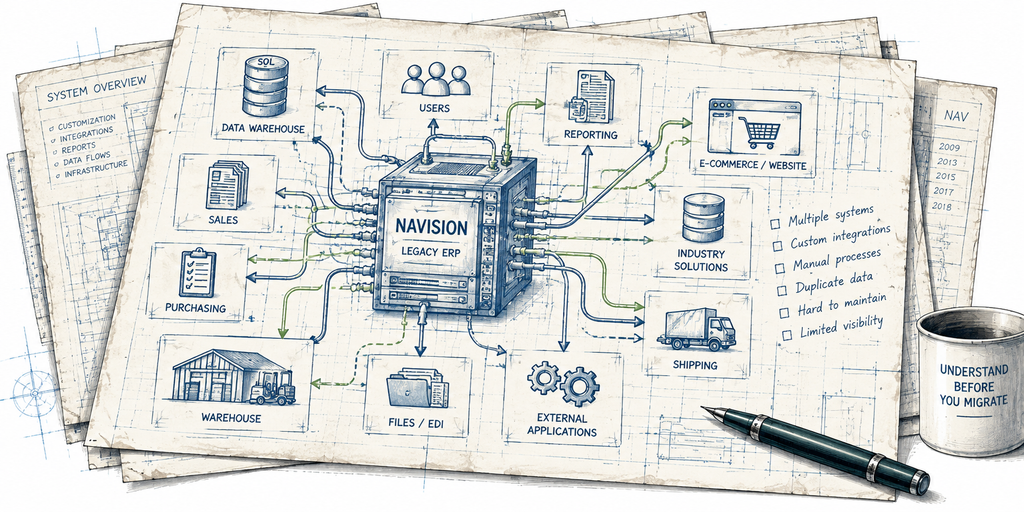
1. Understand the Existing NAV Environment
We start by reviewing the current system.
This can include:
- NAV version
- Database size
- Number of companies
- Users and licensing
- Custom objects
- Custom tables and fields
- Reports
- Interfaces
- Integrations
- Scheduled processes
- External applications
- SQL dependencies
- Existing infrastructure
The objective is to understand both the ERP and the ecosystem surrounding it.
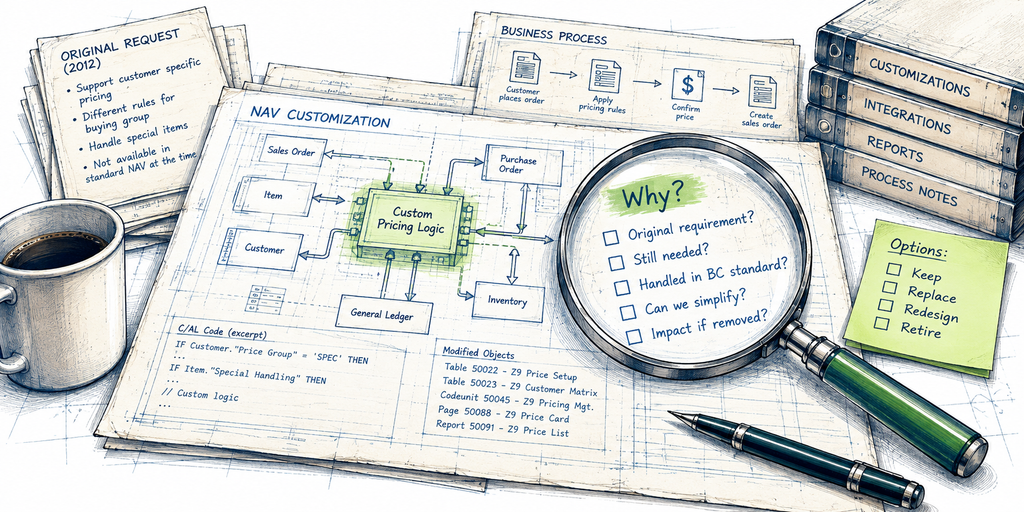
2. Understand Why the Customizations Exist
A technical inventory tells us what has been customized.
It does not tell us why.
That distinction matters – a customization created ten years ago may still support a critical business requirement.
Or it may exist because an older version of NAV could not do something that Business Central now handles natively. Sometimes nobody remembers why the customization was created at all.
Before rebuilding it, we try to understand the business requirement behind it.
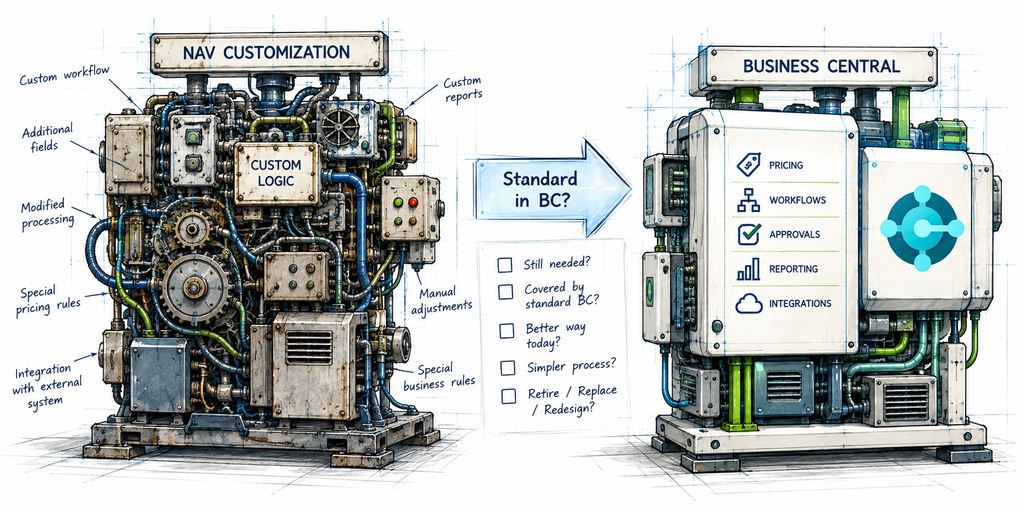
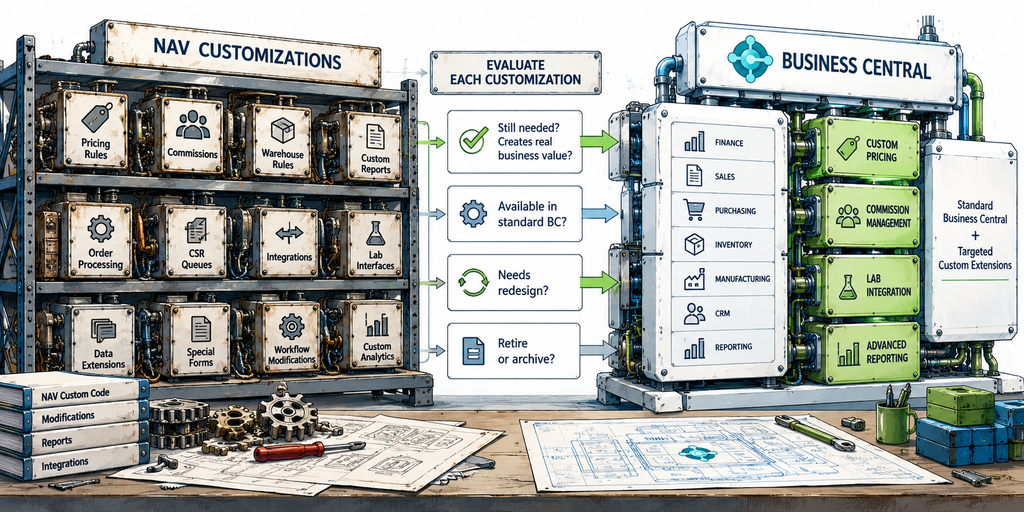
3. Compare the Requirements to Business Central
We then evaluate whether Business Central already provides equivalent functionality.
This is where migration projects can often be simplified significantly.
Instead of asking:
How do we recreate this NAV customization?
we ask:
Does the business still need it, and what is the best way to solve the requirement in Business Central today?
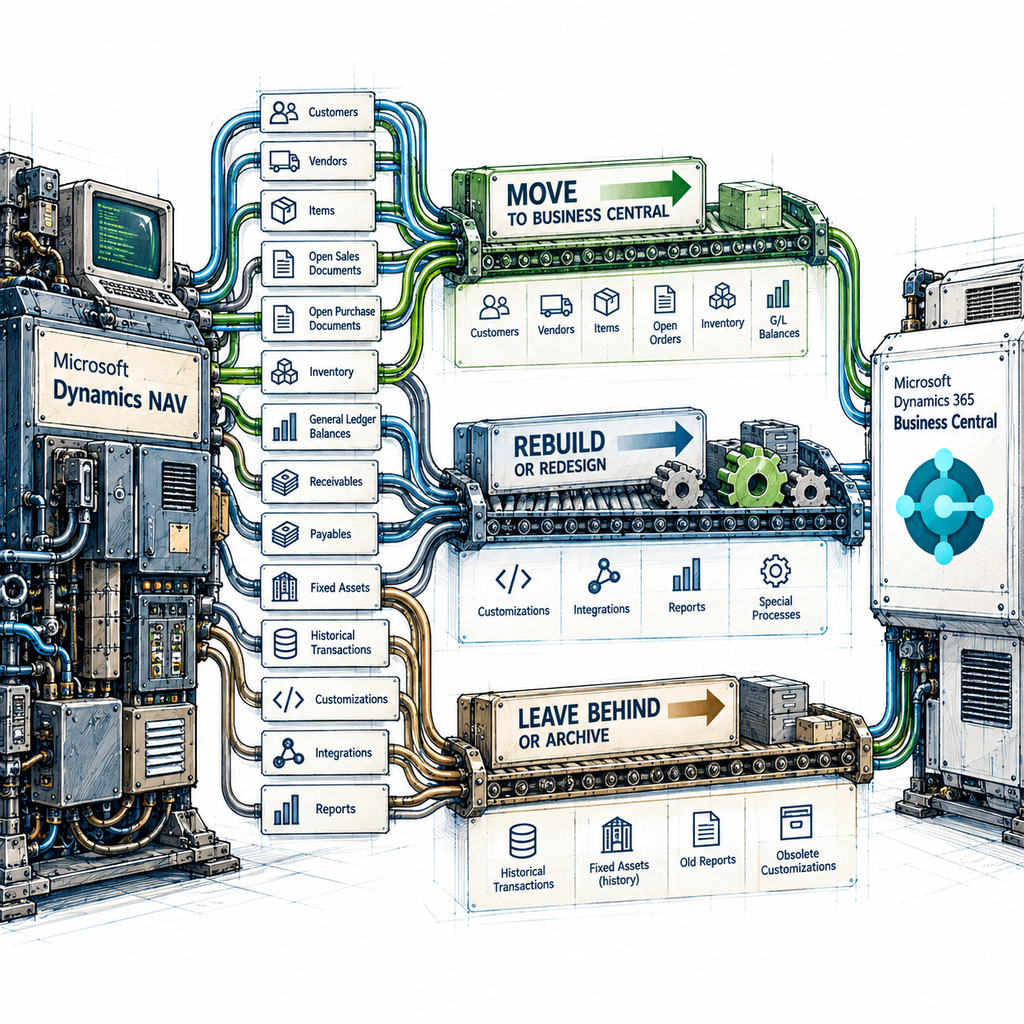
4. Define the Migration Strategy
Once the current environment is understood, we define what needs to move.
That may include:
- Master data
- Customers
- Vendors
- Items
- Open sales documents
- Open purchase documents
- Inventory
- General Ledger balances
- Receivables
- Payables
- Fixed assets
- Historical transactions
- Custom data
- Integrations
- Reports
The migration strategy should reflect how the business actually needs to use the new system.
5. Rebuild What Still Matters
Business-critical custom functionality is recreated using the modern Business Central extension model.
Where possible, we prefer standard Business Central functionality.
Where customization genuinely adds business value, we build it properly.
The objective is not zero customization.
The objective is intentional customization.
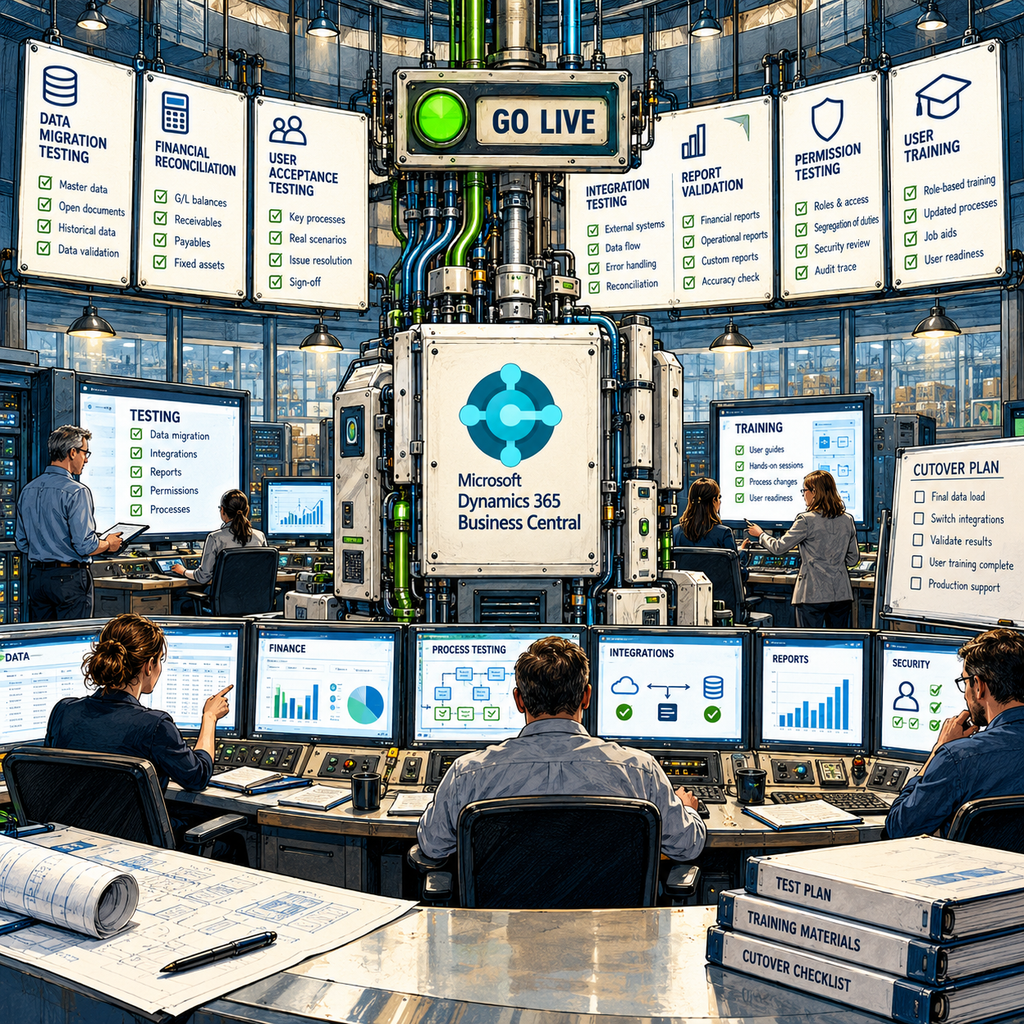
6. Test, Train, Migrate and Go Live
Before cutover, the system needs to be tested as an operating environment, not simply as software.
That includes:
- Data migration testing
- Financial reconciliation
- User acceptance testing
- Integration testing
- Report validation
- Permission testing
- Operational process testing
- User training
- Cutover planning
- Go-live support
Training should be based on how people will actually use Business Central in their day-to-day work, especially where processes have changed from NAV.
A successful migration is one where the system works when people arrive Monday morning — and they know how to use it.
Keep It, Replace It or Redesign It
One of the most important parts of a NAV and Navision migration is deciding what happens to existing customizations.
We generally think about them in three categories.
Keep It
The functionality still solves a real business requirement and continues to provide value.
It should move forward.
Replace It
Business Central now provides standard functionality that can replace the older NAV customization.
In many cases, this is one of the best opportunities to simplify the system.
Redesign It
The business requirement still exists, but the old technical solution is no longer the best way to handle it.
Business Central gives us the opportunity to solve the same problem differently.
This evaluation can reduce unnecessary development and make the new environment easier to maintain.

A NOTE FROM OLEG
A Lot of the Work Happens Before We Write Any Code
Clients are sometimes surprised by how much time we spend talking before we start building.
There is an expectation that most of the project budget will go toward configuring Business Central, converting code and developing new functionality. In reality, on some migrations, more than half of our time can be spent before that work really begins.
We review existing customizations, talk through why they were created, understand how people actually use them, compare them to what Business Central can do today, and sometimes redesign the process entirely.
On some projects, that analysis and process work can represent 60% of the effort.
I know that can feel expensive when there is not yet much to “see.” But this is the part we take very seriously.
Writing code for a requirement we fully understand is usually the easy part. The expensive mistake is spending weeks rebuilding something that the business no longer needs — or recreating a fifteen-year-old workaround simply because it happens to exist in NAV.
I would much rather spend the time asking the difficult questions upfront than hand you a beautifully rebuilt version of a problem you never needed to keep.— Oleg Zenine, Managing Partner
Why Z9Works for NAV to Business Central Migration?
We Understand Both Sides of the Migration
A successful NAV migration requires understanding the system you are leaving as well as the platform you are moving to.
Our team has experience working with Microsoft Dynamics NAV, Navision and modern Business Central environments.
We Look at the Business Requirement Behind the Code
We do not assume that every old customization should survive.
We try to understand what business problem it was created to solve.
That gives us the opportunity to simplify the system where it makes sense.
Senior People Stay Involved
NAV / Navision migrations involve many small decisions that can have large consequences later.
We believe experienced people should remain involved throughout the project — not just during the initial sales and discovery conversations.
We Are Comfortable With Customized Environments
Many long-running NAV systems are heavily customized.
That does not automatically make them bad systems.
Some customizations may represent important competitive or operational capabilities.
Our job is to separate valuable functionality from accumulated technical baggage.
We Understand Integrations
For many organizations, Business Central is part of a larger technology ecosystem.
We regularly work with integrations, APIs, external applications, reporting platforms and custom business systems.
That becomes especially important when migrating a mature NAV environment.
We Take a Practical Approach to Historical Data
Sometimes full history belongs in Business Central.
Sometimes keeping NAV as a read-only archive makes more sense.
We help determine the approach based on business requirements rather than assuming one migration model is right for everyone
Not Ready to Leave NAV Yet?
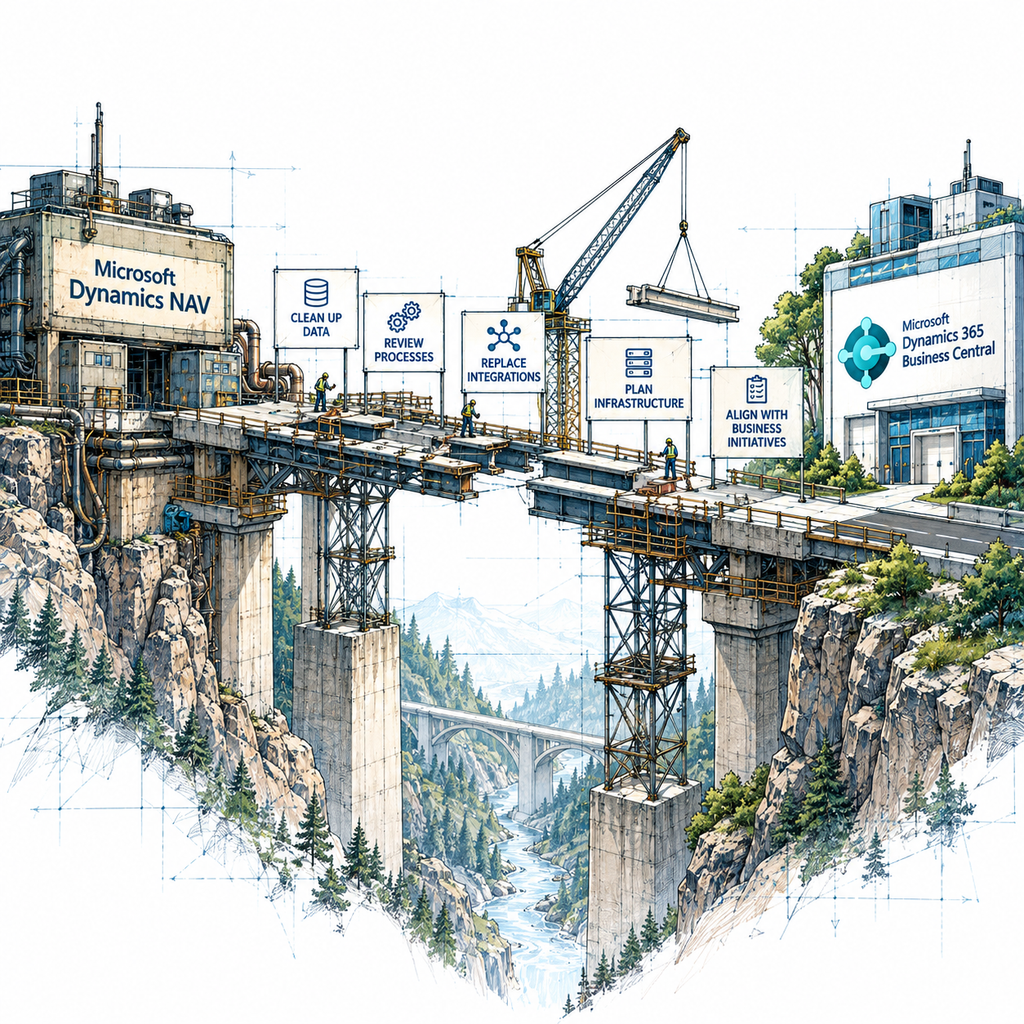
Migration does not have to happen immediately.
Some companies need additional time to:
- Budget for the project
- Replace connected systems
- Clean up data
- Review business processes
- Plan infrastructure changes
- Align the migration with other business initiatives
If continuing with NAV is currently the right decision, Z9Works can help maintain and support the existing environment while you plan the next step.
We support older Microsoft Dynamics NAV and Navision systems, including customizations, development, troubleshooting and ongoing maintenance.
This is particularly relevant for companies considering a future Navision Upgrade but not yet ready to move.

REAL LIFE EXPERIENCE – Sometimes the Right Migration Decision Is to Wait
One of our warehousing clients is still running NAV 2015 with a heavily customized environment.
They would like to move to Business Central, but the company is also going through a major transformation under new ownership. Processes, responsibilities and operating models are still changing.
They would like to move to Business Central, but the company is also going through a major transformation under new ownership. Processes, responsibilities and operating models are still changing.
Our advice was not to rush the ERP migration.
Instead, we are helping design the new business processes first, without forcing them into the limitations of the current system. We already know that NAV 2015 will struggle to support some of those processes cleanly, while Business Central should handle many of them using standard functionality.
So for now, NAV stays in place.
Once the new operating model settles, the migration can be designed around the business they are becoming — not the business they used to be.
Sometimes the best migration decision is not “move now.” It is “get the business model right first, then move once.”
Frequently Asked Questions
Still Running NAV or Navision?
You do not need to have the migration strategy figured out before talking to us.
We can review the existing NAV environment, customizations, integrations, historical data and business requirements and help determine what a practical path to Business Central could look like.
And if the right answer is to keep NAV running for a while longer, we can help with that too.